> ## Documentation Index
> Fetch the complete documentation index at: https://docs.chkk.io/llms.txt
> Use this file to discover all available pages before exploring further.
# Claude Code
> This is a lightweight guide to walk you through the installation of Claude Code, an AI-powered coding environment by Anthropic.
Claude Code is an AI-powered coding environment that integrates Anthropic's Claude for fast code generation, refactoring, and explanation.
It brings conversational AI directly into your development workflow while working with your local files.
Agent Responses on this page are illustrative. Exact phrasing from your AI
model may vary depending on the model, settings, and repository context.
* Download Claude Code from the **[Claude Code installation page](https://claude.ai/claude-code/install)**
* Run the installer
* Once installed, open Claude Code
* Open your project folder
Claude may read files you open or reference to provide context for assistance. Avoid storing API keys, credentials, or other sensitive material in your project, and rotate any exposed secrets.
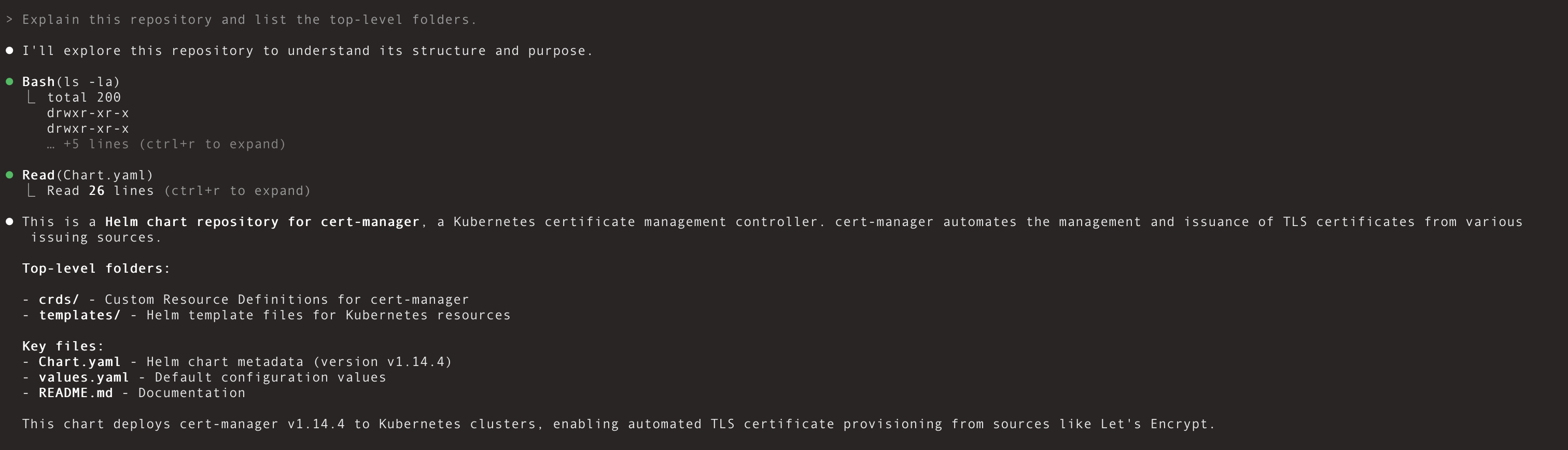
Start your first Claude chat with a simple, non-destructive query:
1. Open a new chat in Claude Code
2. In your new chat, try a quick repository overview:
```text theme={"dark"}
Explain this repository and list the top-level folders.
```
**Agent Response:**
 In Claude Code, you can streamline everyday coding tasks with a few core concepts:
1. **Projects & Context:** Open a project folder so Claude can read the files you reference and provide grounded assistance.
2. **Chats:** Use chats to ask questions, generate or refactor code, and review suggested changes before applying them.
3. **Models:** Choose an available Claude model that fits your task. Higher‑capability models help with complex refactors; lighter models respond faster for quick iterations.
4. **MCP Tools:** Connect external tools and data sources via MCP for richer, task‑specific context.
5. **CLI:** Use the integrated terminal to run the Claude Code CLI for scripted flows and automation.
Explore **[Claude Code CLI Reference](https://docs.anthropic.com/en/docs/claude-code/cli-reference)** to learn available commands, and refer to product docs for current model options and guidance.
Claude Code supports the **Model Context Protocol (MCP)**, allowing it to connect to external tools and data sources for richer, task‑specific context.
Chkk’s **Upgrade Agent** integrates via the **Upgrade Context MCP server** to deliver **Minimal Relevant Context** (MRC) for safe Infrastructure‑as‑Code (IaC) upgrades. See the [Upgrade Agent guide](/ai/upgrade-agent).
See how Claude Code + Chkk Upgrade Agent can automatically generate ready‑to‑merge PRs to upgrade hundreds of Cloud Native Projects safely and at scale.
In Claude Code, you can streamline everyday coding tasks with a few core concepts:
1. **Projects & Context:** Open a project folder so Claude can read the files you reference and provide grounded assistance.
2. **Chats:** Use chats to ask questions, generate or refactor code, and review suggested changes before applying them.
3. **Models:** Choose an available Claude model that fits your task. Higher‑capability models help with complex refactors; lighter models respond faster for quick iterations.
4. **MCP Tools:** Connect external tools and data sources via MCP for richer, task‑specific context.
5. **CLI:** Use the integrated terminal to run the Claude Code CLI for scripted flows and automation.
Explore **[Claude Code CLI Reference](https://docs.anthropic.com/en/docs/claude-code/cli-reference)** to learn available commands, and refer to product docs for current model options and guidance.
Claude Code supports the **Model Context Protocol (MCP)**, allowing it to connect to external tools and data sources for richer, task‑specific context.
Chkk’s **Upgrade Agent** integrates via the **Upgrade Context MCP server** to deliver **Minimal Relevant Context** (MRC) for safe Infrastructure‑as‑Code (IaC) upgrades. See the [Upgrade Agent guide](/ai/upgrade-agent).
See how Claude Code + Chkk Upgrade Agent can automatically generate ready‑to‑merge PRs to upgrade hundreds of Cloud Native Projects safely and at scale.